Ecosia: Search to plant trees
- 4.0
- Rating
- 10.00M
- Installs
- Free
- Price

 Analysis by App-foxy
I spent time using Ecosia as my everyday search app, paying particular attention to how comfortable it feels for people with different abilities, devices, and routines. It is a free communication-category app from Ecosia, although its main job is clearly web searching rather than messaging. The idea is simple: search the web while contributing to tree planting through the company’s environmental model. That purpose is easy to understand, but the real question is whether it remains a practical search tool when readability, motor control, sensory comfort, or unreliable connectivity matter.
My overall impression is positive, with an important qualification. The app is most appealing when you want a familiar search experience with an environmental purpose attached to it. It does not ask you to learn a complicated workflow, and its basic use is approachable for many people. At the same time, the environmental message should not distract from ordinary usability. Search quality, page design, keyboard comfort, voice input, and the accessibility of the websites you open still determine whether the experience works for you.
How Ecosia feels to use across different abilities and situations
I find Ecosia’s basic search routine approachable, but comfort can vary a lot with vision, dexterity, attention, and the setting I’m in. This section looks at practical ways to adapt a search session—such as choosing precise queries, relying on device-level text and input options, and taking extra care with results when connectivity or sensory comfort is limited—so the app can fit more real-world routines.
You May Also Like

 Blood Strike: 2.5 Anniversary
Blood Strike’s Loadouts Turn Every Drop Into a Tactical Gamble
A close look at Blood Strike’s custom loadouts: how fast access to signature weapons reshapes its battle royale rhythm, rewards preparation, and narrows the gap between fights.

 Pandora - Music & Podcasts
Pandora’s Music Is Easy to Start, but Harder to Recover
Pandora’s strength is its low-effort path from a seed to a station. Its weak spot is how much confidence it asks you to place in connection, setup, and quiet recovery.

 8 Ball Pool
 Is Built on Rivalries, Rematches, and Routine
A close look at the rivalries, rematches, shared routines, and unanswered safety questions that turn a quick pool match into a persistent mobile community.

 Samsung Music
’s Quiet Strength Is Playing What You Already Own
Its reach comes less from spectacle than from dependable access to a personal library. That simplicity is both the app’s strongest retention engine and its ceiling.

 AccuWeather: Weather Radar
AccuWeather Review: A Quick, Clear Forecast for Everyday Decisions
For everyday plans, the best forecast is the one you can understand quickly. AccuWeather makes rain timing, radar, and local conditions easy to act on, with a few trade-offs.

 Hill Climb Racing
Why Hill Climb Racing Still Turns Crashes Into One More Run
A tiny car, a bumpy hill and one more upgrade: Hill Climb Racing keeps resurfacing because its simple chaos makes every near-miss feel personal.
More From Our News Desk



Readability and navigation are strongest when the task stays simple
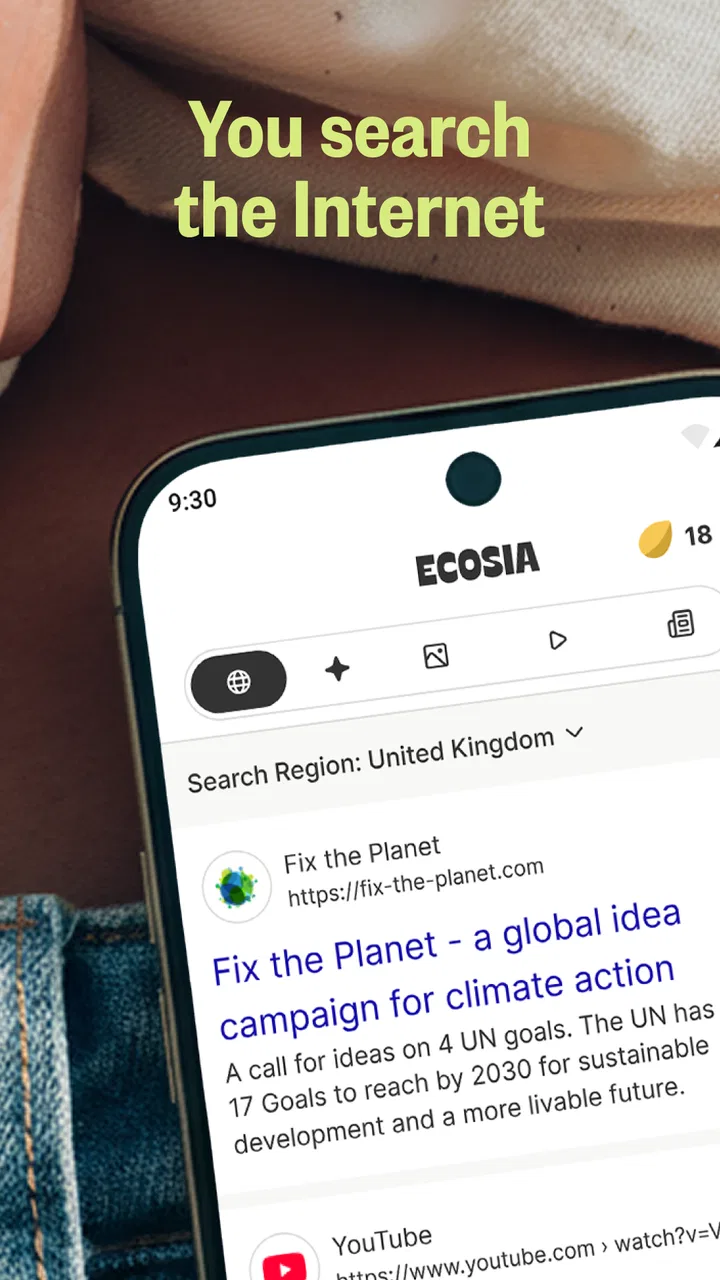
The first thing I noticed is that the app’s central action is easy to find: enter a search and review the results. That straightforward structure helps when I am distracted, tired, or trying to complete a quick task without exploring several layers of menus. I can open it, type what I need, and move on. For someone who prefers a focused interface over a crowded home screen, that simplicity is a genuine advantage.
Search results are also easier to scan when I use specific wording. Instead of entering a broad phrase, I get better practical results by including the exact product, place, or problem I am dealing with. This is useful for anyone who finds long result pages tiring. A precise query reduces the amount of visual searching and makes the app feel less demanding, even though the quality of the final pages still depends on the wider web.
I would not describe the experience as universally effortless, because readability is affected by the phone itself and by the pages opened from the results. Larger system text, display scaling, contrast settings, and screen-reader preferences can change how comfortable the app feels. Those settings are especially important for people with low vision or reading fatigue. The search field may be manageable, but a result page with small text, dense advertising, or poor contrast can quickly become the real obstacle.
One useful habit is to treat the result list as a filtering stage rather than opening every promising link. I read the titles and snippets first, then choose the result that answers the question most directly. This saves repeated back-and-forth navigation and is helpful when magnification makes moving around a page slower. It also reduces the chance of losing my place after opening a page and returning to the results.
The app’s environmental purpose is visible enough to give searches a sense of direction, but I prefer not to let that become visual clutter. People with attention-related difficulties may appreciate keeping their routine centered on one action. If environmental information draws your attention away from the task, the best approach is to use the search function as the main workflow and treat the broader mission as context rather than another thing to manage.
Motor control and sensory comfort depend on the whole search routine
For users with limited dexterity, the main benefit is that searching does not require a complicated sequence of gestures. A single text entry can replace several taps through a category menu. I found that using the phone’s own keyboard features, such as word prediction or voice dictation where available on the device, can make the process less demanding. Those tools belong to the operating system and keyboard, not necessarily to Ecosia itself, but they can make a noticeable difference in practice.
Voice searching is worth considering when repeated typing causes pain or fatigue. I would use it for short, ordinary queries, then check the recognized words carefully before submitting. Names, addresses, medical terms, and unusual spellings can be interpreted incorrectly. That trade-off matters: voice input may reduce hand movement, but correcting a misunderstood query can take longer than typing it. For sensitive searches, I also prefer typing because speaking aloud is not always appropriate in a shared room.
Touch targets and scrolling are not only technical concerns; they affect confidence. When I am trying to tap a small result link or close an intrusive element on a website, an accidental touch can send me somewhere else. This is often a problem with the destination site rather than the search app, but the user experiences the entire journey as one product. People with tremors or reduced precision should expect some websites to be much harder to operate than the search screen itself.
Sensory comfort is similarly mixed. Searching can be quiet and relatively calm, but the web pages reached through results may contain animation, auto-playing media, flashing promotions, or visually crowded layouts. I recommend opening only the most relevant result first and using the phone’s system-level sound, motion, and display controls when needed. The app can help you find information, but it cannot make every external website comfortable or accessible.
A practical workaround for motor and sensory strain is to break research into short searches instead of keeping one very long browsing session. I might search for the general topic, identify the likely source, and then run a second query containing the source name and the exact detail I need. This reduces scrolling and gives me more control over where I spend attention. It is not a special button inside the app, but it is one of the most effective ways I found to make the experience less tiring.
Situational access makes the environmental search choice more interesting
Ecosia fits well into ordinary moments when I need information quickly: checking a timetable, comparing instructions, finding a nearby service, or looking up an unfamiliar term. Its value becomes clearer when searching is already a repeated habit. I do not need to change how I phrase every question or maintain a separate environmental routine. I simply use it as the search starting point.
One realistic example is planning an appointment while commuting. I can search for the location, open the relevant result, and then use the phone’s normal navigation or calendar tools. If the bus is noisy, typing is more practical than voice input. If sunlight makes the display difficult to read, system brightness and contrast settings matter more than the app’s environmental message. If I am carrying bags, voice input may be easier, but I would verify the address before relying on it.
Another useful situation is shared-device or family use. The app is free, carries an Everyone age rating, and does not require a specialist skill to begin searching. That makes it approachable for households where one person has different reading, movement, or attention needs from another. Still, I would set up the phone’s accessibility preferences for the individual user rather than assuming one display arrangement will suit everybody.
It is also a reasonable option for students and people who research many small questions during the day. The environmental purpose gives those routine searches a personal reason to choose this service over a familiar alternative. However, I would not select it solely because of the tree-planting message if another search tool consistently gives me clearer results, better controls, or more comfortable navigation. An inclusive choice has to work in the real context, not just sound good in principle.
When connectivity is weak, the experience becomes less predictable because web searching depends on reaching online services and opening result pages. I would not plan on it as an offline reference library. For travel, emergencies, or areas with unreliable service, saving essential addresses and instructions elsewhere is sensible. The app is best treated as a live search tool, not as a replacement for information already stored on the phone.
What it offers compared with familiar search alternatives
The usual alternatives often win through habit, ecosystem integration, or specialized tools. A search service built into a browser may feel faster if it is already connected to your preferred accounts, voice assistant, passwords, or browsing history. A privacy-focused alternative may be more attractive if minimizing personalization is your first concern. A general web search engine may also be preferable when you depend on a particular image, map, shopping, or news workflow.
Ecosia’s distinction is not that it transforms searching into something entirely new. Its appeal is that the ordinary action of searching is connected to an environmental goal. For me, that makes it easier to choose consistently than a separate donation or tree-planting activity that requires extra planning. The compromise is that the environmental purpose does not automatically guarantee better results, stronger accessibility, or a more private experience than every competitor.
I would compare it by doing the same small set of searches in my normal routine rather than judging it from one query. I would check whether local results are useful, whether product searches are easy to narrow, whether news sources are readable, and whether the result pages I depend on behave well with my display settings. This trial is especially important for users with accessibility needs because a search tool can look simple while the sites it surfaces create most of the friction.
For people who want one familiar search option and appreciate the planting mission, Ecosia is a sensible candidate. For people who need highly specialized search syntax, deep integration with another platform, or a very particular accessibility workflow, a different service may fit better. I would keep an alternative available rather than treating any one search engine as perfect for every task.
Remaining barriers I noticed before recommending it
The largest limitation is that accessibility does not end at the search box. Results lead to independently designed websites, and those sites vary widely in text size, headings, keyboard behavior, labels, pop-ups, and media controls. A person using a screen reader, magnification, switch access, or a simplified touch routine may find one result usable and the next nearly impossible. Ecosia can be a convenient doorway, but it cannot repair every destination.
Search accuracy can also create an accessibility burden. If the first results do not answer the question, I have to reformulate the query, inspect more snippets, or visit several pages. That extra reading and navigation may be minor for one search but exhausting over a long research session. I found that adding context to the query—such as the country, device model, organization, or document type—often reduces this effort.
There is also a trade-off between environmental intention and personal efficiency. If I spend much longer searching because the results are less useful for a particular task, the experience may no longer be the responsible choice for that moment. I would rather complete an urgent or important task with the tool that works best, then return to Ecosia for routine searches. That is a more realistic approach than turning an ethical preference into a source of daily frustration.
The app has a 4.1 average from around 188 thousand ratings, with roughly 3.4 thousand written reviews, and it has passed 10 million installs. Those figures suggest a well-established service with a substantial user base, but they do not tell me whether it will suit a specific disability or device setup. I would use them as signs of maturity, not as proof of universal accessibility.
The current version is 148.0.7778.120.35, and the minimum operating system is Android 10. That matters if you are using an older phone or managing devices for relatives, students, or an organization. Before changing a default search habit, I would check compatibility on the actual device and test the settings that matter most: text scaling, screen-reader navigation, voice input, keyboard access, and whether returning from a result preserves your place.
Who should use it, and who should skip it?
I would recommend Ecosia to someone who searches the web frequently, wants a low-effort way to support tree planting, and is comfortable evaluating individual result pages for readability and control. It is particularly suitable for routine questions where the environmental purpose can influence a repeated everyday choice without adding another task to the day.
I would also suggest trying it for family members who want a straightforward search starting point. The free price and Everyone rating lower the barrier to experimenting with it, while the simple core workflow avoids unnecessary complexity. I would still personalize the phone’s accessibility settings and spend a few minutes testing real searches rather than assuming the default arrangement is ideal.
I would skip it, or keep it as a secondary option, if your work depends on a tightly integrated search ecosystem, specialized research tools, or a particular voice and screen-reader workflow that another service handles better. I would also avoid relying on it as the only tool during travel with poor connectivity or for urgent information that must already be available offline.
My inclusive verdict after regular use
My honest view is that Ecosia succeeds as an approachable search habit with a clear environmental purpose, not as a complete accessibility solution. Its uncomplicated starting point can work well for many users, and the free model makes testing it easy. The strongest inclusive choice is to combine it with the phone’s own accessibility features, careful query wording, and a willingness to switch tools when a particular task demands something else.
The most useful way to approach it is practical: set your preferred text and display options, try typing and voice input, test several real destinations, and keep important information available through another method when connectivity is uncertain. If those checks fit your routine, the app can make ordinary searches feel more meaningful without requiring a major change in behavior.
Ecosia was released on July 26, 2013, and its long presence alongside a reported total of over 230 million planted trees gives the project a recognizable identity. I appreciate that the purpose is connected to an action I already perform. I just would not confuse that appealing mission with a guarantee that every search result, device, or user experience will be equally comfortable. For me, it is worth trying when environmental impact matters and everyday usability remains the deciding test.
FAQs for Ecosia: Search to plant trees
01What is Ecosia and how does it work?
Ecosia is a search engine that uses its ad revenue to plant trees around the world. By performing searches, users indirectly contribute to reforestation projects. Ecosia partners with various organizations to ensure effective and sustainable tree planting. This app is available on both Android and iOS platforms, providing an eco-friendly alternative for internet searches.
02Is Ecosia safe to use as a search engine?
Yes, Ecosia is safe to use. It prioritizes user privacy and does not sell personal data to advertisers. The app uses encrypted connections to protect user searches and also provides transparency by publishing monthly financial reports and tree-planting receipts, ensuring users can trust their searches contribute to environmental efforts.
03How effective is Ecosia in contributing to reforestation?
Ecosia is highly effective in contributing to reforestation efforts. With over 150 million trees planted to date, the app has significantly impacted deforestation areas worldwide. Collaborating with reputable organizations, Ecosia ensures the trees are planted in biodiversity hotspots, helping to restore ecosystems and support local communities.
04Can I use Ecosia on my mobile device?
Yes, Ecosia is available as a mobile app for both Android and iOS users. The app functions like a standard search engine, allowing you to browse the internet while contributing to environmental causes. Additionally, it can be set as your default browser, making it easy to support tree planting on the go.
05Does using Ecosia cost anything?
No, using Ecosia is completely free. The app generates revenue through ads displayed in search results, which is then used to fund tree-planting projects. Users can search just as they would with any search engine without incurring any costs, making it a simple way to contribute to environmental sustainability.
Pros
- Eco-friendly search engine.
- Simple and intuitive interface.
- Privacy-focused
- no tracking.
- Fast search results delivery.
- Supports multiple languages.
Cons
- Limited search customization.
- Occasional irrelevant results.
- Fewer search tools than competitors.
- Ads present in search results.
- Requires internet connection.

Ecosia: Search to plant trees
Gallery